How an e-commerce studio got a brand-new Shopify store talking to Odoo Community — with a live support call and a plan for Odoo 18/19 down the road.
Launching a new Shopify store is exciting. Wiring it into your ERP is usually where the excitement stops. Products, stock, customers, orders and invoices all need to land in Odoo correctly, and nobody wants to find out something is broken after the first real orders come in.
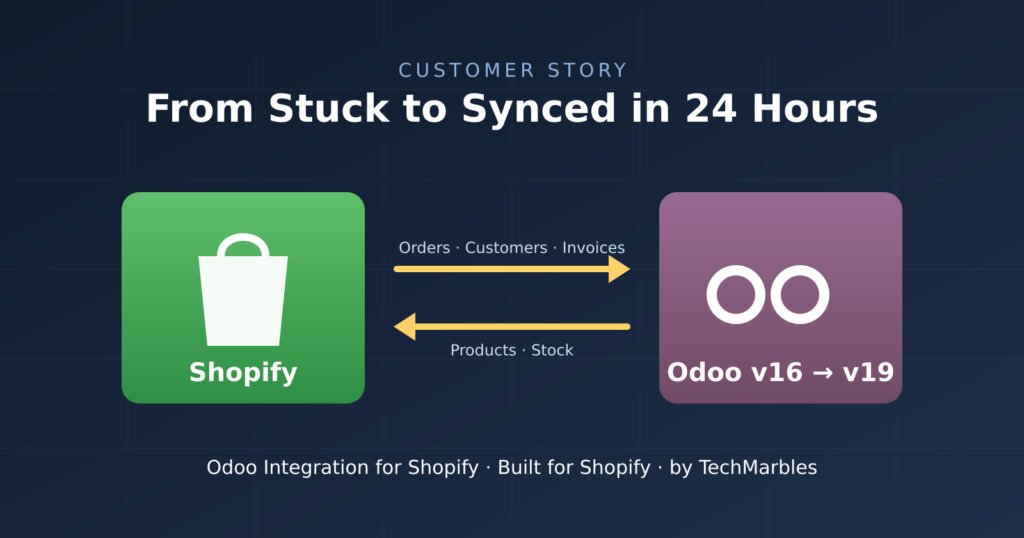
This is the story of an e-commerce studio that builds stores for clients across the US and Central America, and how they went from an error screen to a working Shopify–Odoo connection in about a day using our Odoo Integration app.
The challenge
The agency was building a new Shopify store for a retail client. Their requirements were clear:
- Sync the new store with Odoo Community v16, which the client runs today.
- Keep the door open to move to Odoo Enterprise v18 or v19 later, without replacing the integration.
- Test everything properly in a Shopify development store before going live.
That last point is where they got stuck. They couldn’t get the app running in their dev store, and they needed to evaluate it before committing a client project to it.
How we helped
Once the agency followed up with our support team, things moved quickly:
- Dev store enabled for testing. We asked for their
.myshopify.comdomain and enabled the app on their development store so they could test at no cost. - Quick troubleshooting. When they still saw an error after reinstalling, we didn’t keep trading emails. We sent a Google Meet link right away and walked through it live.
- Connected the next day. By the following day the team confirmed Shopify and Odoo were connected, and they moved on to configuring sync and running test orders.
- Setup session on request. When they were ready to fine-tune the configuration, they asked for a call and booked a slot directly on our support calendar.
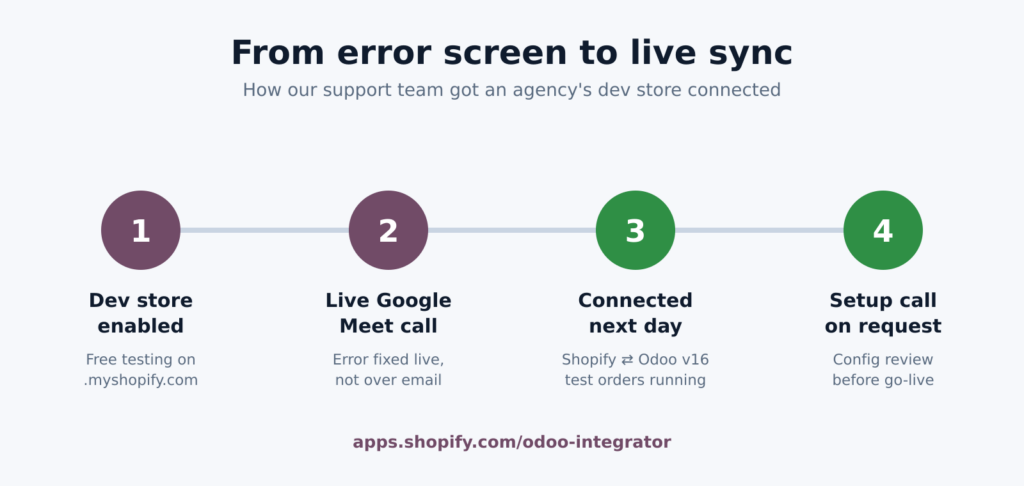
No ticket queues, no week-long back-and-forth. A real person on a call, solving the actual problem.
Why agencies choose Odoo Integration
- Built for Shopify certified. The app meets Shopify’s highest bar for performance, design and integration quality.
- Odoo v16 through the latest release. Start on v16 today and keep the same integration when you upgrade to v18 or v19.
- Works where your Odoo lives. Supports Odoo Online (SaaS) and Odoo.sh.
- Trusted by around 1,000 stores syncing Shopify with Odoo.
- Hands-on support. Live Google Meet sessions for setup and troubleshooting, not just help-centre links.
Building for a client? Test in a dev store first
If you’re an agency or developer evaluating the app for a client project:
- Install Odoo Integration on your Shopify development store.
- Email [email protected] with your store’s
xxxx.myshopify.comdomain and we’ll enable it for testing. - Connect your Odoo instance and run a few test orders end to end.
- Book a setup call if you want us to review your configuration before go-live.
Get started
Ready to connect Shopify and Odoo without the headaches?
- Install the app: apps.shopify.com/odoo-integrator
- Read the docs: odoo-integration.techmarbles.com/doc
- Book a call with our team: calendly.com/techmarbles/shopify-odoo-support
Odoo Integration is built and supported by TechMarbles.